


We tested the new Intel’s integrated chip X3000 and we used 1GB memory. We installed Vista Home Premium and Microsoft recommends minimum of 512MB system memory. Using 1GB and working with Vista didn't cause any major problems. It is important to point out that we used 2x512MB.
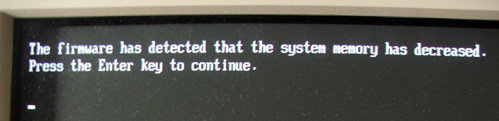
We took one of the modules out and we got the screen informing us that the amount of memory availably decreased. After you hit enter you can procede.
It was no surprise to see that Aero Glass was off once Vista was up. In the instructions manual Intel clearly stated that integrated graphics will not be able to run Aero with only one memory module. According to Intel you need dual channel memory as in two memory modules and minimum of 1GB of memory. We also had tried to boot on one module with 1GB available so we took 512MB out and replaced it with the 1GB one. Unexpected thing happened. Aero shines and functions with one memory module and runs with no problem.
We put 512MB back in and started Far Cry game. It seams like Intel’s GMA X3000 is true advancement compared to previous generations of Intel integrated graphics solutions. It is good enough to help you play at 800x600 screen resolution with only 512MB system memory. With 1GB you get to increase screen resolution up to 1280x1024.
It surprised us that with 512MB you can start Far Cry but not Aero. The only logical explanation that we can think of at this stage is that Aero will not work due to lack of graphics memory. We showed in previous article that with 1GB system memory, graphics has 256MB shared memory and that Aero requires 90MB to work. X3000 is integrated GPU that needs to "borrow" memory from your system in order to work. The more memory your system has, the more memory your GPU gets.
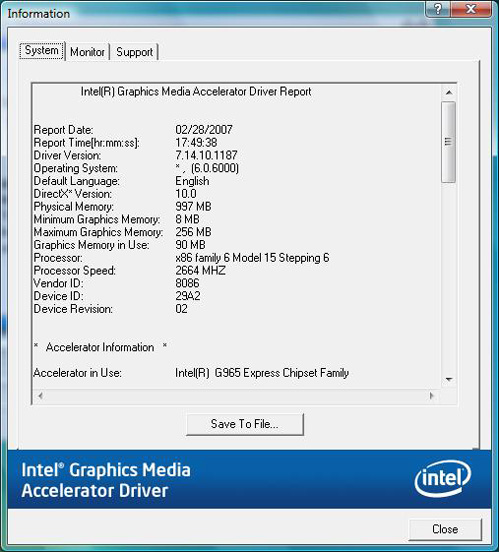
Compared to 1GB system the amount of shared memory for GPU on 512MB system is 64MB only . In other words GMA X3000 does not have enough memory to run Aero as it requires 90MB graphics memory. We went to BIOS and tried to increase amount of shared graphic memory but without any success. We were doomed to live with 64MB and no Aero Glass.
Conclusion
Today Intel integrated was our victim and we tortured it well, but all we get to see while testing Vista OS leads to the same story told over and over again: Vista needs more then 512MB RAM to work confortable.
We will try to get hold of AMD 690 and Nforce MPC68 all integrated to give them all the same treatment.