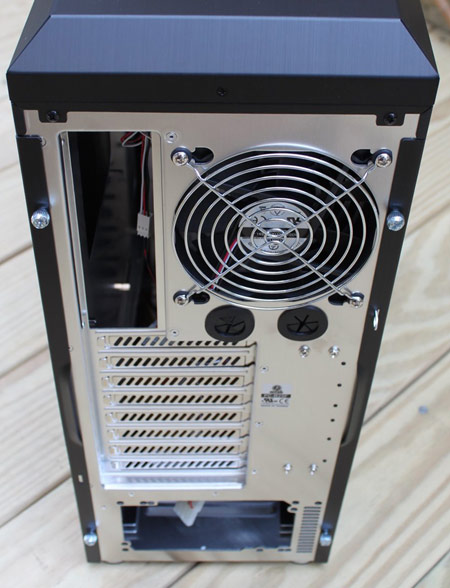
Lian-Li has also come up with an
interesting design when it comes to securing the add-in cards and this on its
own is a good enough reason to consider getting the PC-B25F or any other
Lian-Li case using the same system. Simply lift the leaver up, slot in the card
and close the leaver and you’ve secured the card. We’ve seen similar systems in
the past, but not a solution this good and robust. The PC-B25F has eight rear
slots, although the eighth slot doesn’t feature the card retention system, but
relies in a thumb screw instead.
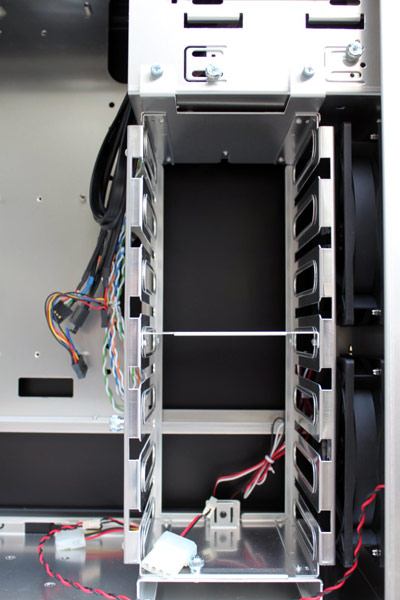
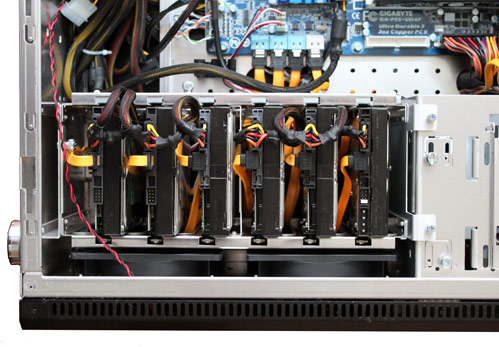
Installing the hard drives is a matter
of fitting the aforementioned thumb screws and robber grommets to the drives
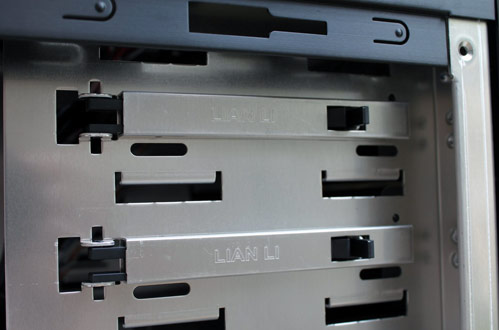
and then sliding the drives into place. Lian-Li has designed a locking
mechanism for the drives which consists of unscrewing a thumb screw, sliding it
alongside with the drive locking mechanism upwards and then securing the thumb
screw again. This locks all six drive slots. The hard drive rack can be removed
and it’s held in place by two thumb screws at the top as well as a thumb screw
at the bottom and a locking latch at the rear of the case.
The two top 5.25-inch drive bays feature
tool-less mounts, although they only secure the drives on one side. Screws can
be fitted to the other side if the device fitted into the drive bay needs to be
secured tighter. Even the drive bay covers can be removed without tools, as
they simply snap in and out of the chassis. The bottom 5.25-inch drive bay
relies of four thumb screws as it comes pre-fitted with a 5.25 to 3.5-inch
converter.
This is something of a hassle to fit and remove, but it’s no worse
than any other solution of the same kind that we’ve seen. The only noticeable
thing here is that the hole seems to be a little bit small, as you can’t slide
a 3.5-inch unit in from the front and anything you fit here ends up being
slightly recessed into the case.
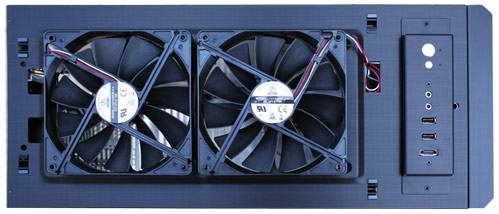
At the top of the case are two USB 2.0
ports, a pair of audio jacks as well as an eSATA connector. The location makes
it very easy to use these ports if your case is on the floor next to you, but
it also means that they’re prone to collecting dust. This is also where the
power and reset buttons are located and we like the finish of the silver buttons.
The top comes off easily and has to be removed before the front of the case can
be removed. Both the top and the front of the case can be removed without
having to remove the side panels first.
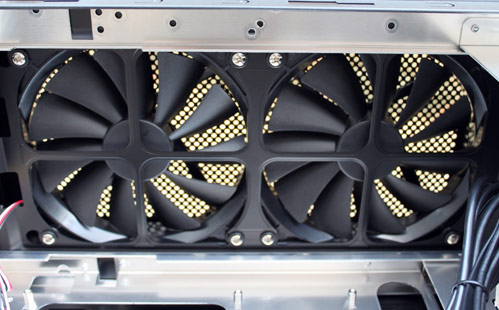
When it comes to cooling, then the
PC-B25F has plenty to offer, as it has no less than two top mounted 140mm fans,
a rear mounted 120mm fan and two front mounted 120mm fans. The fans are mounted
with rubber grommets to reduce vibration. The front mounted fans are protected
by two dust filters which are easy to clean and prevents at least some dust
from entering your system.
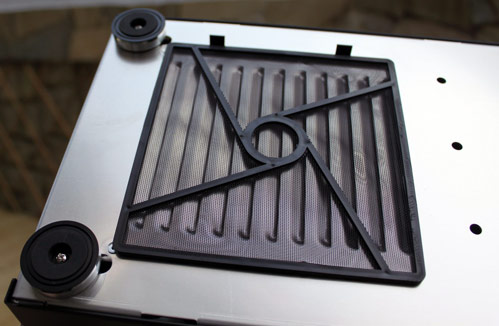
The power supply is mounted in the bottom of the
system and draws in cool air from the bottom and as with the front fans;
Lian-Li has fitted a dust filter at the bottom of the case, although this one
is a bit more awkward to get to. The power supply fits on top of two stands
with rubber padding to reduce any vibrations from the PSU.
Other little touches includes two holes
for water cooling pipes at the rear, some cable management holes in the
motherboard tray and a hole for access to the rear of the CPU cooler, as long
as the CPU socket is positioned toward the top rear of the motherboard. We’re
not sold on the cable management clips, but they do at least help a little bit
in keeping the wiring tidy, but we’ve seen better systems from other
manufacturers.