

Review: A sweet lollipop with a bitter aftertaste
We've been toying around with Asus' new Eee Box B204 for a few
days now, and it's time to wrap up the review for our Sunday edition.
We don't actually have a Sunday edition per se, but this thing is more
leisurewear than hardware, so I'm thinking Sunday will do just fine.
The old Eee Box B202 has been around for quite a while, and new
incarnations, such as our B204 or the B206, basically look the same.
Externally, the only distinguishing feature is the HDMI connector in lieu of
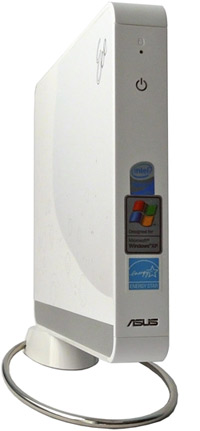
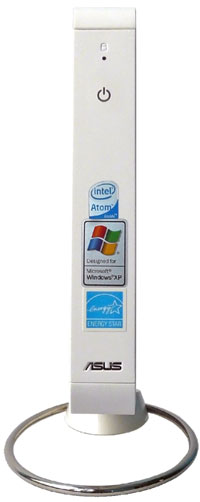
DVI. Mind you, not changing the design is not a bad thing. The Eee Box is without a doubt
the best looking nettop out there, so there's really no point in messing with the looks.
However, once you take a peek at its intestines, you soon realize the
B204 is quite a bit different than the B202. Yes, it's still based on
the Atom N270/945GSE combo, it has 1GB of memory and 160GB of storage,
but now it features discrete graphics, courtesy of ATI. We're
not talking about anything with loads of graphics muscle. Asus went for
the HD3450 in mobile flavour, with 256MB of DDR2 memory. It's still a
DX10 part, and it's got UVD and audio, so it's well suited as a mate
for the HDMI out. Oddly, Asus even installed a small battery, and the B204 can run for a few minutes with no power before it goes into hibernation. This probably makes it the only desktop with a battery on the market, and we're not sure this feature will draw a crowd.
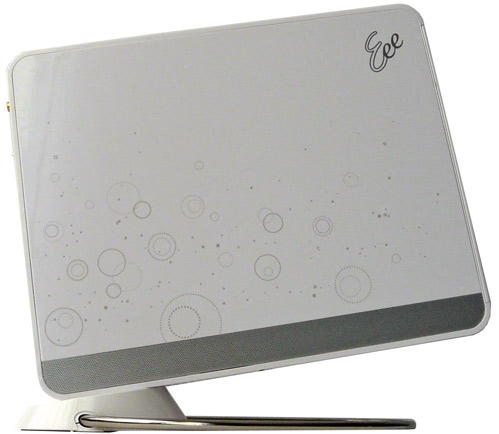
The whole contraption measures 222x178x27mm, and it weighs about a
kilo. Its footprint, however, is a bit bigger, thanks to the cute,
angled metal stand. It's fixed in place with a large screw, much like
an LCD stand, and it feels more than adequate to handle the weight, or
lack thereof. Once you remove the stand, you can access the 2.5-inch Seagate hard
drive in seconds. Practical, but you won't be changing hard
drives on a daily basis anyway.
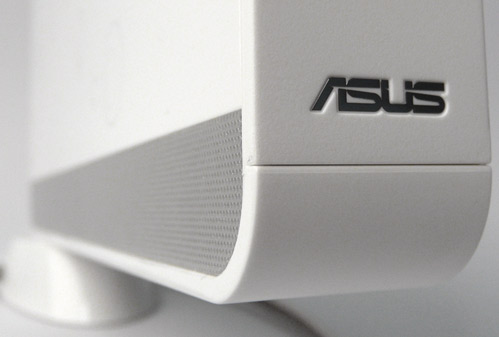
Apart from making the Eee Box look a bit Wii-ish, the stand also
has a more down to earth purpose. Thanks to the vertical layout, and
the space between the stand and surface, it helps airflow. In fact, the
vertical design helps so much that the Eee Box is practically
completely silent no matter what you do with it.
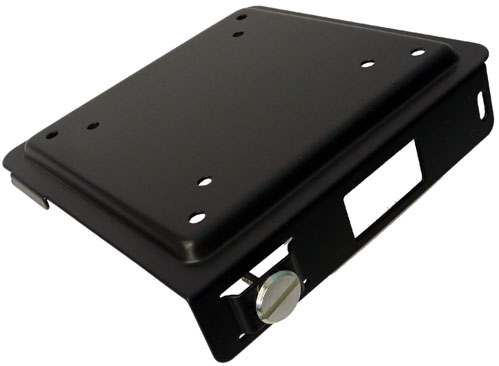
Also, the B204 ships with a standard
TV mount, which will allow you to hide it from prying eyes behind your
widescreen. Considering it's a damn good looking piece of hardware, we
really don't know why you would want to do that. You also get a great
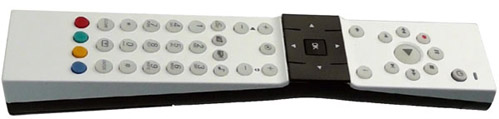
remote, pretty well thought through and good looking, too. It works
well with the included Eee Cinema software. Although Eee Cinema is pretty a pretty nice software suite, simple to use and well designed, it's still rather limited in terms of
format support.
There's a downside to the sleek design, too. Once you connect the power adapter, keyboard
and mouse, wireless antenna, HDMI, LAN, and finally, the infrared
receiver, which also eats up a USB slot, you'll need a way to hide the
cable jungle behind something, and a 27mm wide chassis just won't do
the trick.
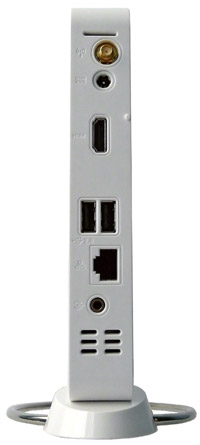
Here's where we hit the first snag. There are only two USBs at the
back, which means that after you've plugged in the IR receiver, you're
down to just one. So you have to choose your keyboard and mouse
carefully, i.e. get a wireless desktop, not two separate devices. This
will limit your choice if you're after some fancy keyboard or mouse,
which isn't offered in a kit.
You can also get round this with a USB hub, which will, unfortunately,
add one more ugly cable to your tiny nettop. Still, the decision to
ship a USB infrared receiver instead of a built in one, was a right
one, as it provides you with a lot more flexibility in setting up your
media center.
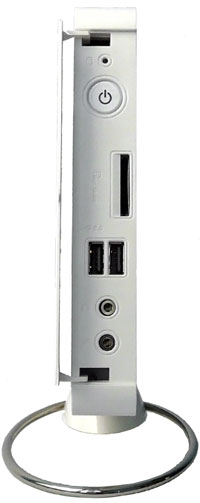
The connectors on the front side are hidden from sight by a flimsy
plastic cover. These include 3.5mm audio in and out connectors, two
USBs and a memory card reader. Like the Acer Revo, the Eee Box B204
lacks a digital audio out. The power button and power led are also at
the front, and you have to open the cover to access them. Although you
probably won't be using the memory card reader and the 3.5mm connectors
on a regular basis, the decision to place the power button behind the
cover was a triumph of style over substance.


