

Review: Kingston HyperX 4x1GB does it as well
For today’s
menu we decided to use Windows Vista x64-Bit edition and different memory configurations. It was a logical choice because
we used 4GB of memory in this experiment.
Many memory manufacturers are selling 4GB
memory kits and they focus on the gamer market. If you are a gamer and you already
have 2x1GB of memory you might want 4GB for better performance. The best way to upgrade
is to buy a 4GB kit (2x2GB). The other option is to buy 2x1GB and add them to your existing
2GB. In this case you end up with 4×1 GB modules.
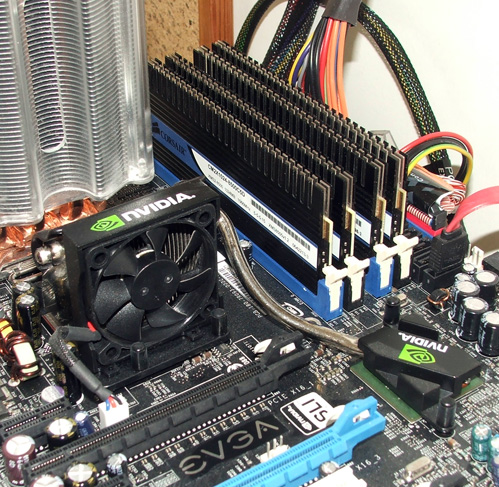
We used
4x1GB of memory. The plan was to try it with Corsair memory, but after we
experienced a bad response from the system with 4GB memory, we included the Kingston’s memory too. The same problem occurred again. It seems that memory optimization is not on the desired level and this can easily be BIOS and motherboard related.
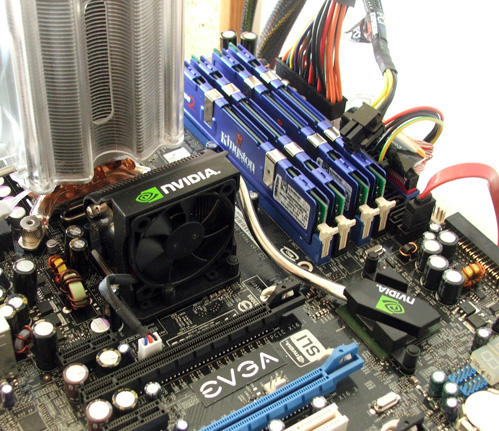
We used:
EVGA 680i SLI Motherboard
Intel Conroe Core2 Extreme X6800
Corsair CM2X1024 8500C5D
Kingston 9600 KHX9600D2/2G
Gainward Bliss 8800GTS
OCZ GXS 850W gameXstream
We didn’t compare Corsair and Kingston 2GB kits. We wanted to focus on the 4GB performance of the 4×1 configuration. Corsair memory works on 1066MHz default, Kingston
1200MHz default, but we tweaked its speed to 1066MHz.
Benchmarks
Super Pi | 1MB | 8MB | 32MB |
|
Corsair CM2X1024 PC2-8500C5D 4GB | 17s | 03m 39s | 17m 38s |
|
Kingston HyperX KHX9600D2K2/2G | 17s | 03m 40s | 17m 35s |
|
Corsair CM2X1024 PC2-8500C5D 2GB | 17s | 03m 42s | 17m 55s |
|
Mathematical
calculations on 32 decimals are done 17sec faster when using 4GB of memory. The results are
nothing special and nothing to be proud of. It shows that 4GB counts but not that much.
Sandra 2007 |
Memory |
Memory | Cache&Memory |
|
Corsair CM2X1024 PC2-8500C5D 4GB |
5411 |
78ns |
20255MBs |
|
Corsair CM2X1024 PC2-8500C5D 2GB |
5470 | 76ns /67.8 | 19578MBs /63.3 |
|
Kingston HyperX KHX9600D2K2/2G |
5587 | 76ns /71.1 | 20600MBs /57.5 |
|
Kingston HyperX KHX9600D2K2/2G |
5487 | 78ns /69.9 |
19789MBs |
|
You can see,
the only evident difference is better memory latency. The first time 2 GB was better against 4GB, the second time 4GB won against 2GB. Silly isn’t it? The 2GB kit scored 76ns with
2GB memory against 78ns with 4GB memory and vice versa.
AutoGK video | Memory |
|
|
|
Corsair CM2X1024 PC2-8500C5D 4GB | 14:42 |
|
|
|
Corsair CM2X1024 PC2-8500C5D 2GB | 15:00 |
|
|
|
Doing video encoding is always slow work but extra memory can save you some time. It will save you exactly 1m 12s which is not that bad after all. After couple of hours it's enough to make a lunch brake.
FEAR | 1024×768 | 1280×1024 | 1600×1200 | 2048×1536 |
Corsair CM2X1024 PC2-8500C5D 4GB | 172 | 135 | 103 | 73 |
Corsair CM2X1024 PC2-8500C5D 2GB | 165 | 135 | 107 | 78 |
Kingston HyperX KHX9600D2K2/2G | 167 | 136 | 107 | 75 |
Kingston HyperX KHX9600D2K2/2G | 163 | 134 | 107 | 76 |
We tried to load a system with HD encoding video during the FEAR test. Just as we suspect, Vista x64 can't find value in additional 2GBs of memory. At the end on the highest 2048×1536 resolution we scored five FPS less than we had previous with only 2GB system. Very odd.
Company of Heroes | 1024×768 | 1280×1024 | 1600×1200 | 2048×1536 |
Corsair CM2X1024 PC2-8500C5D 4GB | 121.2 | 94.8 | 69.9 | 32.9 |
Corsair CM2X1024 PC2-8500C5D 2GB | 120.1 | 94.8 | 70.2 | 46.5 |
Kingston HyperX KHX9600D2K2/2G | 121.2 | 93.1 | 69.9 | 33.5 |
Kingston HyperX KHX9600D2K2/2G | 115.0 | 92.5 | 71.4 | 43.6 |
At first glance,
at lower resolutions we gained a couple FPS using 4GB of memory. On
1600×1200 resolution things started to turn weird again, just like in FEAR. On this resolution 4GB is losing by 2GB, and
at high 2048×1536 resolution we get a horrible score as the 4GB kit loses by a big margin. It is not clear what happened but it might be the bad BIOS / memory and Windows memory management. We also believe that some games might need a patch to address more than 2 GB of memory anyway.
Conclusion
We tested
2x2GB of memory before and at that time these kits didn't even work properly on
three of our four boards. Things are getting better, but we still cannot properly utilize the 4×1 GB kits.
I can tell you that it will be useful but it is not that easy to prove this
claim. in Frames per second you don't gain much but the overall Windows experience
improves. It's very simple. Once you load the whole 2048MB and start a new
application or game things will get very slow on 2 GB machine. This is the time
when you will realize that you actually might need more than 2GB. The first
choice is 4 GB of course, and 4x1GB is the easy one.
We can recommend 4GB kits to everyone one who wants to go really hard core, like
playing games at super high resolutions, encoding HD and maybe even render a
complex 3D scene. This is when your Quad core and 4 GB will really pay of, on 64 bit
Vista of course.
Both Corsair and Kingston did a good job as it simply works at 1066 MHz you can
make four times 1024MB work. We didn't want to go in overclocking wars as this
was not the point, but we will include a 2x2GB kit in such a test and try to
figure out is 2×2 better than 4×1.


